Melodica vs piano: what transfers and what does not?
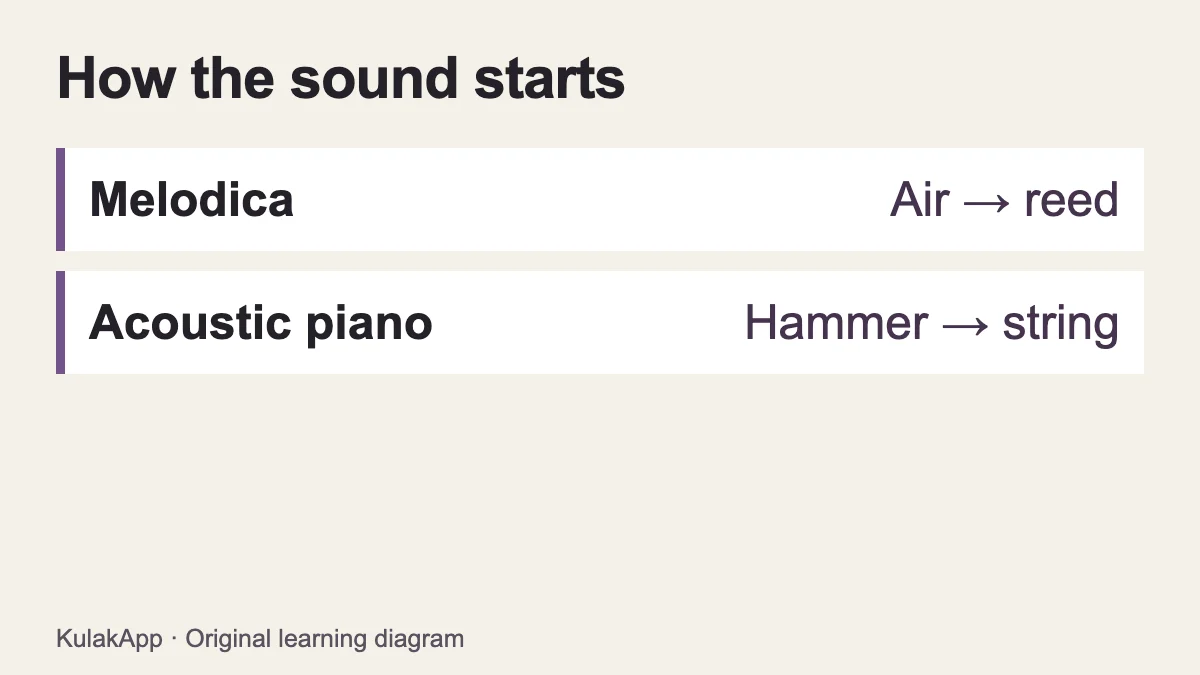
A melodica and a piano share a familiar black-and-white keyboard layout, but they produce sound differently and require different physical skills. Air vibrates reeds in a melodica. In an acoustic piano, hammers strike strings. Learning note positions on one can help you navigate the other, but it does not automatically teach the other instrument’s technique.
What the shared keyboard layout gives you
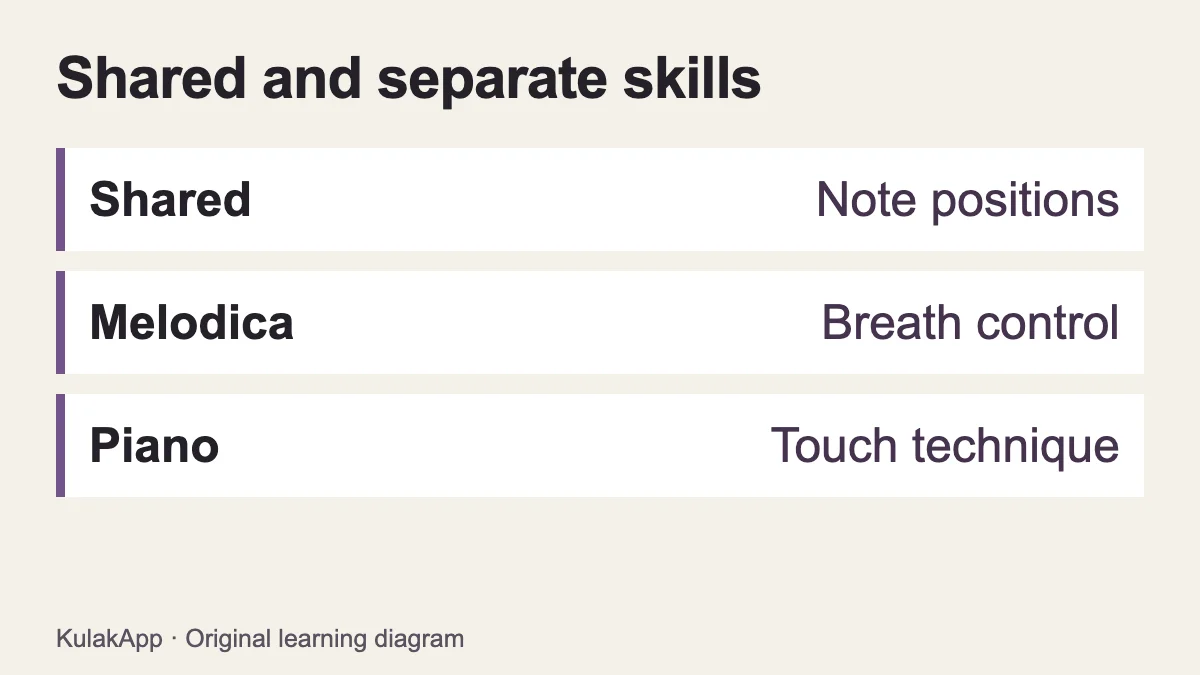
Basic landmarks stay familiar: C sits immediately to the left of a group of two black keys. If you can locate C–D–E on a melodica, finding that sequence on a piano is a more approachable task. Pitch direction, the grouping of black keys and counting half steps are useful shared ideas.
The number of keys, the available range and the physical dimensions can differ between instruments and models. A melodica cannot be assumed to cover every piano piece. Before transferring a melody, check its lowest and highest notes against the instrument you have. Moving an unavailable note into another octave changes the heard shape of the line and should be a deliberate arrangement choice, not an unnoticed substitution.
Breath control and keyboard touch are different skills
Pressing a physical melodica key is not enough on its own: airflow is also needed. Sustaining a note and deciding where to divide a phrase involve breathing. A browser instrument does not perform or assess that physical task. Holding a long note comfortably on a touchscreen therefore says nothing definite about sustaining the same phrase on a real melodica.
On a piano, how you press and release the keys and organise your hand movements matters. A phone screen cannot reproduce a physical key’s resistance and travel. A virtual keyboard should not be described as equivalent to touch training. It can support note exploration while physical technique remains a separate part of learning.
Where does a digital piano fit?
A digital piano generates sound electronically rather than sounding strings in the way an acoustic piano does. Key actions and other features vary between models. Hearing a “piano sound” does not tell you everything about the playing experience. If you are choosing a product, inspect its current specifications separately. This guide does not rank models, invent ratings or make price claims.
The virtual piano and virtual melodica on this site are also not exact physical-instrument replicas. Their browser-generated tones and on-screen keys support short starting exercises. Liking one tone does not establish how the corresponding real instrument will feel in your hands.
Moving from melodica to piano
Begin by finding a short sequence you already know, using the same note names on the piano. Check the range before adding speed. Rather than forcing an accompaniment with the other hand immediately, give attention to comfortable movement and appropriate positioning. Coordinating two hands is a different task from knowing where the notes are.
Separate three questions: can you read the notes, can you locate the keys, and can you make the movement comfortably? Answering yes to the first two does not guarantee the third. If you work with a teacher, tell them about your melodica experience so they can choose suitable starting tasks. Deciding which material you can skip requires an individual assessment, not a blanket rule about prior keyboard experience.
A small comparison exercise
- Play the same short sequence, such as C–E–D, on both virtual tools. Check that the note order stays the same while the tone changes.
- Compare short and long release on the melodica tool. Remember that this changes the digital sound; it is not a breath-control exercise.
- If you can try a physical instrument, assess its key feel and playing position separately. Do not infer physical comfort from touchscreen practice.
- Write down your goal: simple melodies, a particular lesson, piano repertoire or ear training. Choose a learning route based on that goal, not only on the appearance of the keys.
The point of this checklist is to clarify expectations, not to declare one instrument superior. Different learners have different needs and practice conditions. Instead of relying on an unsupported “easiest instrument” ranking, identify which features matter to your intended music-making and which skills you will still need to learn.
Can a melodica replace piano lessons?
Not if the goal is specifically to develop piano technique. Shared note knowledge is useful, but it does not reproduce the piano’s action, full working range or the coordination demanded by a particular piece. Likewise, a piano does not automatically teach the airflow and articulation of a melodica. You can build related musical understanding without treating the instruments as interchangeable.
For an early listening task, either a suitable keyboard or a virtual tool can provide pitches to compare. For instrument-specific technique, use the instrument and guidance appropriate to the goal. That distinction lets you get value from a free web tool without expecting it to replace an entire course of physical practice.
Continue listening practice alongside either instrument
Following pitch direction, remembering a short sequence and noticing rhythmic patterns are not tied to a single keyboard model. Start with the short listening example on the virtual melodica, then explore further exercises in KulakApp if you want to continue. A small example is a practice opportunity, not an overall ability score or an audition prediction.
Technical references: Yamaha on the breath-powered keyboard and Yamaha on acoustic piano sound production. The explanations, practice examples and diagrams here were created for KulakApp.