Virtual recorder: play recorder notes online
A small, honest sound lab
Play eight real wooden-recorder note samples from C5 to C6, compare two pitches, and practise a short original pattern. This free virtual recorder works in a phone or desktop browser without a download, account or microphone. The CC0 recordings give each key an acoustic recorder timbre while the page remains a listening tool, not a fingering or breath evaluator.
Play the note
Tap a note or use A–K (also 1–8). The key labels are shown on every note.
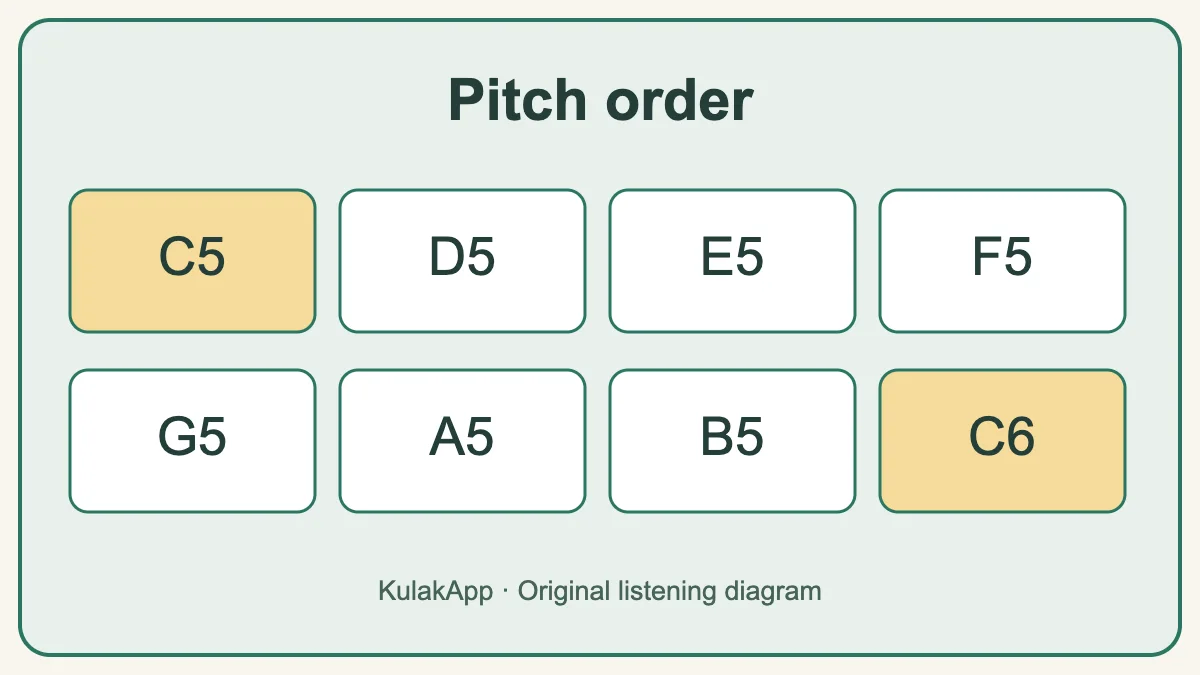
The pitch path in this browser exercise
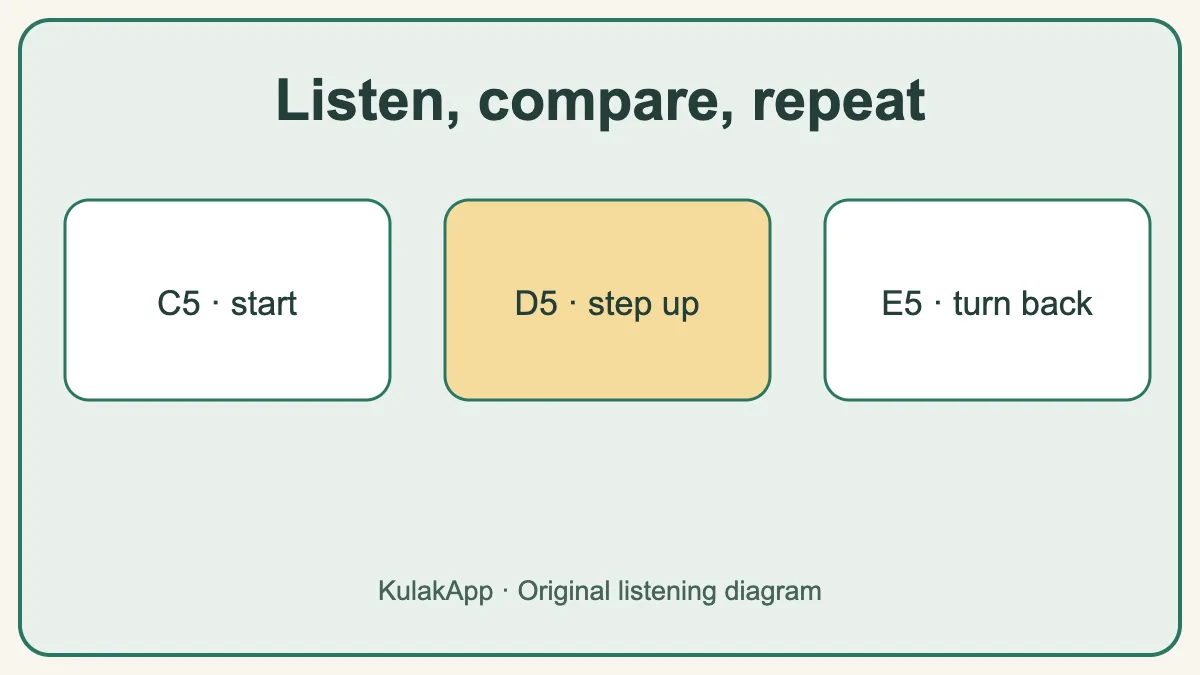
The buttons move through C5, D5, E5, F5, G5, A5, B5 and C6. Start with C–D–E, pause, and then return E–D–C. An octave here describes the distance between the two C notes; it does not mean the physical recorder has only eight playable pitches. The player keeps the range deliberately small so the change in pitch is easy to hear.
A two-minute listening routine
First play C5 and D5 separately. Replay them in the opposite order and name which one is higher before looking at the labels. Next add E5 to make C–D–E–D–C. Keep each tap evenly spaced; a separate metronome can supply a slow pulse. Finally, use the comparison button three times. If you miss one, replay it and sing the direction of the second note. The useful result is recognizing the direction, not racing through a score.
How to use the virtual recorder
Begin with one deliberate tap on C5. That first action also unlocks browser audio on phones that block automatic sound. Move upward one button at a time and listen for a smooth rise rather than trying to memorise all eight labels immediately. On a computer keyboard, A, S, D, F, G, H, J and K follow the same left-to-right order; the number keys 1–8 remain available too. Use Stop sound whenever notes overlap or you want a clean restart. The volume slider changes the browser output only; it does not listen to your room or control the system volume. Once the board feels familiar, press Compare two notes. You will hear a pair and choose which was higher. Replay uncertain pairs by starting another comparison instead of guessing from the visual position.
Recorder notes in this online range
The playable row contains C5, D5, E5, F5, G5, A5, B5 and C6. In fixed-do naming these are Do, Re, Mi, Fa, Sol, La, Si and the next Do. They form the natural notes of one C-major octave, so there are no sharp or flat buttons in this compact exercise. That choice keeps the first visit simple; it is not a statement that a real recorder is limited to a C-major scale. A soprano recorder normally reaches beyond this octave, and chromatic notes require appropriate fingerings. Use this online range to hear stepwise motion, repeated notes and the octave relationship before adding a larger physical fingering chart.
Try three original practice patterns
For stepwise motion, play C5–D5–E5–D5–C5 and keep the gaps even. For a wider contrast, play C5–E5–G5–E5–C5; name whether each move is a step or a skip. For pitch memory, play C5–G5, wait three seconds, then find G5 again without tracing every button. These are short original exercises, not excerpts from copyrighted songs. Work on one question at a time: pitch direction, timing, or memory. If all three are difficult together, remove the rhythm and compare only two notes. Add a slow pulse with the online metronome after the note order is secure.
Virtual recorder, virtual flute, and a real recorder
The words recorder and flute are sometimes mixed in search, but the physical instruments are not identical. A recorder is a duct flute: its windway directs air toward an edge, while a concert flute is held sideways and uses a different embouchure and key system. KulakApp therefore keeps this recorder page separate from the virtual flute. Both browser tools can help you compare pitch, yet neither interface is a physical fingering lesson. The virtual recorder focuses on a compact C5–C6 path associated with beginner soprano-recorder practice. The virtual flute offers a different listening layout. On a real instrument, follow the maker chart and your teacher’s guidance rather than copying screen buttons.
A practical ten-minute beginner session
Spend the first minute checking comfortable volume and playing every note once. Use the next two minutes for C–D–E–D–C, stopping whenever the sound overlaps. During minutes four and five, close your eyes for the two-note comparison and say “higher” or “lower” before selecting an answer. In minutes six and seven, use the metronome at a slow tempo and place one note on each beat. Then move to your physical recorder, if you have one, and play only the three fingerings you already know. Finish by writing one observation such as “D to E was hard to hear” or “my last note arrived early.” A specific observation gives the next session a clear starting point; a score alone does not.
How to transfer the exercise to a real recorder
If you have a soprano recorder, first identify its fingering system from the maker, then select only three notes whose fingerings you can already play reliably. Play the first note with a gentle, steady air stream. Stop, sing it, and then play the second note. Comparing a sung pitch with a real instrument makes the listening decision more active than clicking blindly. Do not squeeze harder to reach a higher note: breath and fingering interact, and excessive air can make a recorder speak in an unexpected register. Once the three-note pattern is stable, keep the same rhythm while you move the starting note. Write down which transition still feels uncertain. This is a practice observation, not a verdict on musical ability.
When the result sounds confusing
First check that your device is not muted and that another tab is not covering the speaker. If the notes sound too close, compare C5 and G5 before returning to neighbors; a wider gap gives your ear a reference. If a note seems “louder” rather than “higher,” lower the playback volume and hum both tones. Brightness, loudness and pitch are different things. If the rhythm distracts you, ignore tempo for one round and listen to isolated sounds. Only after you can name their direction should you return to the five-note phrase. On a real recorder, a squeak or unstable tone may arise from fingering or breath rather than from an inability to hear pitch.
What a screen cannot teach about a recorder
A real soprano recorder asks you to coordinate breath, tongue, thumb hole and fingers. The keys play CC0 recordings of a real wooden recorder, but the page neither reads your fingering nor grades breath control. Recorder models also differ: Baroque and German fingering systems have different charts for some notes. Check the chart supplied with your instrument before treating a fingering diagram as universal. The keyboard is a pitch reference; it does not show which holes to close.
Questions people ask
Is this a recorder fingering chart?
No. It is an audible pitch-order exercise. For physical fingerings, identify whether your instrument uses the Baroque or German system and consult the matching maker chart.
Why can the sound still differ from my school recorder?
The keys use recordings of a real wooden recorder, but instrument material, model, player, breath, microphone, room and your speakers all change the result. It is an acoustic reference, not a recording of your own recorder.
Can I use it on a phone?
Yes. Tap the labelled buttons after the page loads. Sound requires a user tap because browsers restrict automatic playback.
Can I play recorder songs here?
You can create short note sequences inside the available C5–C6 range. The page does not provide a copyrighted song library or automatic accompaniment.
Does the virtual recorder use my microphone?
No. The recorder sample is loaded and played in your browser only after a button or keyboard press. The tool does not request microphone permission or assess your physical instrument.
Why is there no B-flat or F-sharp button?
This compact first exercise uses the natural notes C5–C6. A real recorder can play chromatic notes with the correct fingering, but those fingerings are outside this pitch-comparison tool.
Continue ear training in KulakApp
Use this browser example to hear direction. In the app, continue with structured listening exercises and progress tracking.
Instrument fact-check: Yamaha recorder fingering systems. The teaching examples and diagrams are original KulakApp work. Recorder audio: FreePats · Eugene Vlaskin · CC0 1.0.